I wanted to be able to open PDF links only in new windows since I noticed a lot of users often times were searching for say PDF’s and then they would accidentally close the browser instead of hitting the back button. Big annoyance for them.
So I was snooping around the Search Core Results Web Part’s XSL Editor to see if I could edit the XSL to open links in new windows instead. It’s actually pretty easy, here are the steps:
1. Go to http://portal/searchcenter/pages/results.aspx
2. Modify Shared Web Part for the Search Core Results WebPart
3. Click on the XSL Editor Button on right under Miscellaneous > Data View Properties
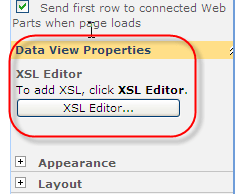
4. I’d suggest copying the contents of the pop up into notepad/wordpad to do your editing.
5. Search for the following lines
<span class=”srch-Icon”>
<a href=”{$url}” id=”{concat(’CSR_IMG_’,$id)}” title=”{$url}”>
<span class=”srch-Title”>
<a href=”{$url}” id=”{concat(’CSR_’,$id)}” title=”{$url}”>
<xsl:choose>
<xsl:when test=”$IsThisListScope = ‘True’ and contentclass[. = ‘STS_ListItem_PictureLibrary’] and picturethumbnailurl[. != ”]“>
<div style=”padding-top: 2px; padding-bottom: 2px;”>
<a href=”{$url}” id=”{concat(’CSR_P’,$id)}” title=”{title}”>
<span class=”srch-URL”>
<a href=”{$url}” id=”{concat(’CSR_U_’,$id)}” title=”{$url}” dir=”ltr”>
6. At the ends of each of the <a;> tags, you’ll want to add on target=”_blank”
For example to make the link attached to the document icon open in a new window, the full tag would be like this:
<span class=”srch-Icon”>
<a href=”{$url}” id=”{concat(’CSR_IMG_’,$id)}” title=”{$url}” target=”_blank”>
7. Now to open new window only for PDFs documents add the code <xsl:choose> in for Icon, Title and URL section code in the XSL. Oviously, the code inside the <xsl:when> and <xsl:otherwise> tag will be different.
<xsl:choose>
<xsl:when test="contains($url,'.pdf') or
contains($url,'.PDF')">
<a href="{$url}" id="{concat('CSR_IMG_',$id)}"
title="{$url}" target="_blank">
<img align="absmiddle"
src="{imageurl}" border="0" alt="{imageurl/@imageurldescription}" />
</a>
</xsl:when>
<xsl:otherwise>
<a href="{$url}"
id="{concat('CSR_IMG_',$id)}" title="{$url}">
<img align="absmiddle"
src="{imageurl}" border="0" alt="{imageurl/@imageurldescription}" />
</a>
</xsl:otherwise>
</xsl:choose>
Using the same XSL Editor you can also manipulate how your search results are displayed and even include custom content types if you wanted to!







 Diganta Kumar's Blog