ADSCatalyst.com – Great CMS for small businesses to go online

ADSCatalyst CMS is for an Online Business. Its hosted and easy-to-use system is designed to meet your specific business needs – allowing you to focus on your goals, not mastering the technology behind it.

Try free trial go to http://www.adscatalyst.com/Signup/Obb.aspx. No contract and credit card required.

Benefits


  • Replace 10+ systems with 1

    Our fully integrated system gives you the power of multiple software suites, easily controlled from one central interface. Managing your business has never been so simple!


  • Save time, money and unnecessary stress

    Using our all-in-one solution, you no longer have to waste your time remembering multiple logins, installing updates, or syncing disconnected systems. We give you everything you need, when and where you need it.


  • Easily manage your website

    Control your online business with our simple to use online interface. Edit web pages, manage blogs or set up community forums. It’s as easy as point and click!


  • Help grow your business

    Make informed decisions, based on real-time reporting and analytics. Our system allows you to keep a finger on the pulse of your Online Business.


  • Manage your business anywhere

    With our web-based interface, you can take care of business on-the-go, without the hassle of setting up servers or installing updates. From the other side of the world, all you need is an internet connection to grow your Online Business.


  • Secure & Supported

    Keep peace of mind, knowing your important data is secure, hosted remotely in our data centers in North America, Europe, and the Asia Pacific. In the rare case that you encounter a problem, a wealth of support resources are available right at your fingertips.

    To see full features go to http://www.adscatalyst.com/full-features
Posted in CMS

SharePoint mysite is deleted

Issue:


The My Site of Joe Blow is scheduled for deletion. As their manager you are now the temporary owner of their site. This temporary ownership gives you access to the site to copy any business-related information you might need. To access the site use this URL: http://servername/mysite/personal/joeblow.

Cause:

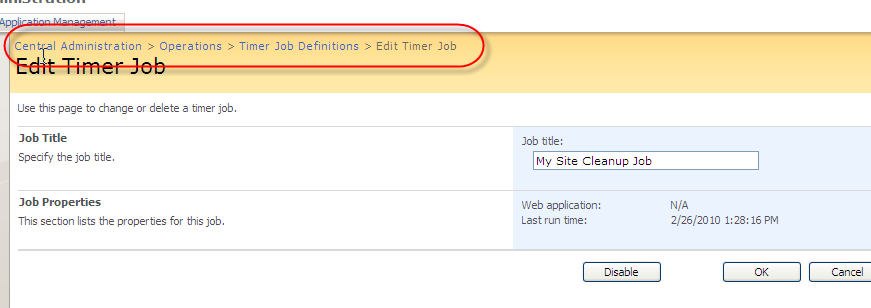
In SharePoint under Central Administration there is a ‘My Site Cleanup Job’ which runs every hour. When a user is deleted or disable in Active Directory, the My Site Cleanup job starts a workflow on that user’s My Site. The default behaviour is to send an e-mail message to the manager with a link to the deleted user’s site. The e-mail message contains a request to the manager to move any documents or data that the manager wants to preserve, because the site might be deleted in the future.

MySite clean up job screen

MySite clean up job screen

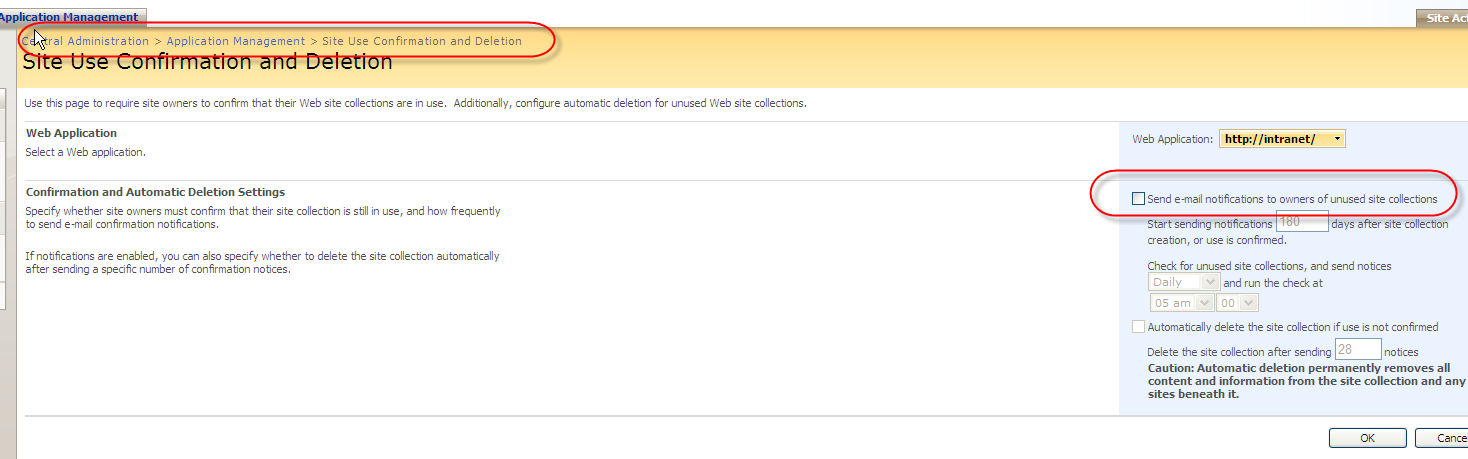
There is also ‘site use confirmation and deletion’ page under central administration operations which may be checked.

Site use confirmation deletion screen

Site use confirmation deletion screen

Solution:

To mitigate this issue I think you can apply any of the following steps.

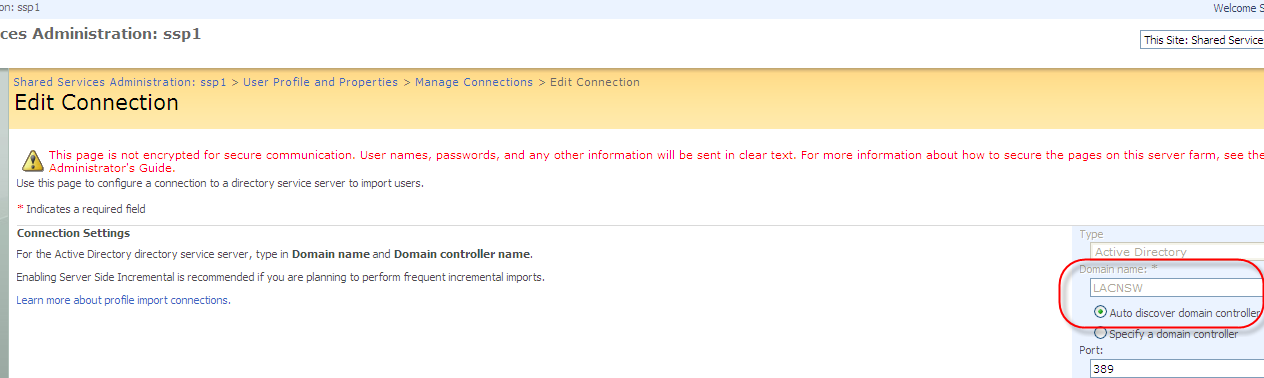
1. If you have two domain controllers use the domain name and ‘Auto discover domain controller’ option. If the one domain controller goes down SharePoint will look for the other domain controller. Please look at my aricle on ‘Employee Lookup or User Profile searches in SharePoint 2007‘ to find a filter for not importing disable Active Directory accounts.

AD connection auto discovery

AD connection auto discovery screen

2. In central administration we can disable ‘My Site Cleanup Job’ and run once a week manually to do cleanup. Not a great options.

3. Potentially you can also call the SharePoint profile stored procedure manually. If you do this you may want to disable ‘My Site Cleanup Job’.

DECLARE @UserID uniqueidentifier
DECLARE @NTName nvarchar(400)
DECLARE @SID varbinary(512)

DECLARE userCursor CURSOR FOR
SELECT Userid, NTName, SID from userprofile _full where bdeleted = 1

OPEN userCursor

FETCH NEXT FROM userCursor INTO @UserID, @NTName, @SID

WHILE @@FETCH_STATUS = 0

BEGIN

EXEC profile_RemoveUser @UserID, @NTName, @SID

FETCH NEXT FROM userCursor INTO @UserID, @NTName, @SID

END

CLOSE userCursor
DEALLOCATE userCursor

References:

SharePoint profile stored procedure article

SharePoint Profile Cleanup

White paper on mysite

How To Delete Sharepoint Timer Job Definition

Posted in SharePoint

Project is Locked/ Project in unviewable – Word 2003 macro

Issue:
When try to modify word macro I get “Project is Locked/ Project in unviewable”

Solution:
1. Find the location on the startup folder. Go to Tools > Options > File Locations. See the UNC path of the startup ‘File types’.
2. Open explorer and go the the startup loaction.
3. Move the template.dot file, where you have the macro from the startup folder to any other location.
4. Now open template.dot file and modify the macro, test and then put it back to the startup folder.
5. Open word and you will be able to see the changes.

Posted in Microsoft Office